Choosing the right game engine is one of the most critical decisions in game development. Whether you’re building a fast-paced action game or a simple mobile puzzle, the game engine you choose will shape the entire development process.
In this guide, we walk through the fundamentals of game engines, why they matter, the top engines to consider in 2026, and how to evaluate which one fits your project best. We’ll also guide you on choosing the right engine for your project and show how GIANTY can support your gaming projects with advanced tools and technology.
What is a Game Engine?
A game engine is a software framework that provides the tools developers need to build video games such as rendering, physics, audio, scripting, animations, and AI systems. By using game engines, developers can significantly reduce the cost, complexity, and time required for development, allowing them to focus on the creative elements of the game rather than building systems from scratch. This makes game development more efficient and innovative.
A modern engine also helps:
Improve development speed
Ensure cross-platform compatibility
Standardize asset workflows
Maintain performance consistency across devices
Engines have evolved far beyond graphical tools.
Why Game Engines Matter in 2026?
The role of game engines has grown significantly as games become more complex and teams increasingly rely on efficient game develeopment pipelines. Without them, developers would have to manually code every aspect of a game, from physics to graphics, making the process incredibly time-consuming and complex.
Game engines streamline development by providing reusable systems, reducing the need to create new gameplay assets from scratch with each project.
Here are key reasons why game engines are a vital part of the game development process:
1. Efficiency and Speed
A game engine provides pre-built systems, allowing developers to create complex games more efficiently. By handling tasks like rendering, physics, and sound, game engines free developers to focus on design and gameplay, significantly speeding up the development process.
2. Cross-Platform Compatibility
Many modern game engines support cross-platforms, meaning that a game developed on one engine can often be easily ported to consoles, PCs, mobile devices, or even virtual reality systems. This feature is invaluable for developers who want to reach a broader audience.
3. Access to Advanced Feature
Game engines provide developers with access to advanced technology such as real-time ray tracing, advanced physics simulations, and AI systems, all of which are crucial for creating high-quality games.
Leading engines now include:
Real-time ray tracing
Procedural tools
Visual scripting
AI-assisted workflows
High-end animation and cinematics
Cloud-based collaboration
These features allow smaller teams to achieve results once limited to AAA studios.
4. Community and Support
Engines like Unity and Unreal benefit from massive documentation libraries, tutorials, asset stores, and community support – critical for both beginners and scaling teams.
Best Game Engines for Game Development in 2026
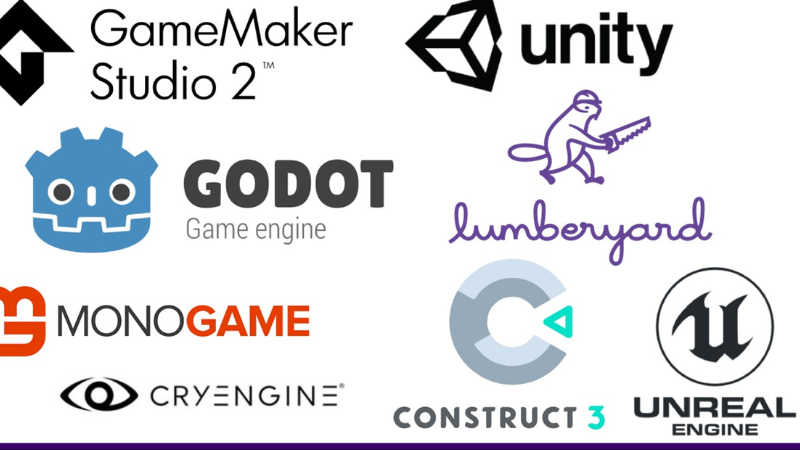
Selecting the right game engine is pivotal to the success of your game development project. The game development landscape continues to evolve rapidly. Below are the top game engines in 2026, along with their strengths, ideal use cases, and technical considerations.
1. Unity
Unity remains the industry’s most flexible and accessible engine, powering everything from indie games to mid-sized mobile titles to AR/VR applications.
Unity’s ease of use, enormous asset marketplace, and cross-platform capabilities make it a favorite among both beginners and professional studios. It supports rapid iteration, excellent debugging tools, and smooth workflows for mobile and real-time development.
Advantages of Unity Game Engine:
- Cross-platform support
- Extensive asset store
- Strong community and real-time development tools
- Free for beginners
Disadvantages of Unity Game Engine:
- Performance overhead on complex projects
- Advanced licenses can be costly
Perfect for: 2D games, mobile games, VR/AR titles, mid-core projects, fast prototyping. You can also watch one of our recent TPS game prototype build on Unity here.
2. Unreal Engine
Unreal Engine, developed by Epic Games, is renowned for its high-fidelity graphics and cutting-edge technology, making it the top choice for AAA game development.
Unreal Engine 5, with features like Nanite and Lumen, allows developers to create photorealistic environments and dynamic lighting without sacrificing performance. It’s a great engine for creating large-scale games.
Advantages of Unreal Engine:
- High-quality graphics
- Blueprint visual scripting
- Comprehensive toolset for large-scale games
Disadvantages of Unreal Engine:
- Steep learning curve
- Resource-intensive, requiring powerful hardware
Perfect for: AAA games, open-world games, simulation titles, film-quality cinematics.
3. Godot
Godot is a rising star in the game development world, especially among indie developers. Godot’s popularity has exploded thanks to its lightweight design, open-source model, and beginner-friendly workflow.
Godot offers a clean UI, a flexible node-based system, and scripting through GDScript (plus C#). It excels at 2D projects and is improving rapidly in 3D.
Advantages of Godot Game Engine:
Completely free, open-source
Extremely lightweight and fast
Ideal for 2D development
Easy to learn for new developers
Disadvantages of Godot Game Engine:
- Smaller community and support
- Limited advanced features for larger projects
Perfect for: Indie games, 2D platformers, narrative games, prototypes.
4. CryEngine
CryEngine is known for its stunning visuals and advanced rendering capabilities. While not as widely used as Unity or Unreal, CryEngine excels in creating immersive environments. For teams that require near-photorealistic landscapes, CryEngine remains a strong option, especially for FPS or simulation games.
It offers tools for real-time rendering, physics, and AI, making it a strong contender for developers focused on pushing graphical boundaries.
Advantages of CryEngine:
- High graphics quality
- Real-time rendering and advanced physics
Disadvantages of CryEngine:
- Smaller user base
- Complex to learn and master
Perfect for: FPS games, technical showcases, advanced simulation environments.
5. Amazon Lumberyard / O3DE
Amazon’s Lumberyard has evolved into O3DE, a powerful open-source engine with deep AWS integration. It’s ideal for multiplayer or cloud-native games thanks to its robust networking stack and scalable architecture.
Advantages of Lumberyard
- Open-source
- Native AWS + multiplayer integration
- Strong for online and connected games
Disadvantages of Lumberyard
Smaller ecosystem
More technical setup required
Perfect for: Multiplayer, online services, cloud-connected gameplay.
How to Choose the Right Game Engine in 2025?
Choosing the right game engine depends on various factors, including your project’s requirements, team size, and target platforms. Here are some key considerations when selecting a game engine:
1. Project Scope
Determine the scope of your game. If you’re working on a small indie project, an engine like Unity or Godot may be a perfect fit due to their ease of use and lower learning curve. For large-scale AAA projects, Unreal Engine might be the better choice thanks to its advanced features and support for high-fidelity graphics.
2. Experience Level
Your team’s expertise matters. Unity and Godot are often favored by beginners because of their user-friendly interfaces and large support communities. Unreal Engine, while powerful, may require more technical knowledge, particularly for developers unfamiliar with its node-based scripting system, Blueprint.
3. Budget
Consider your budget. Engines like Godot and Lumberyard are open-source and free, while others like Unity and Unreal offer both free and paid tiers. If your project has a tight budget, you’ll want to choose an engine that doesn’t come with heavy licensing fees.
4. Target Platforms
Ensure the engine supports your target platforms. If you’re developing for mobile, Unity is an excellent choice, thanks to its broad compatibility and optimization for iOS and Android. Unreal Engine is ideal for console and PC games due to its high-end performance features. Godot is also highly versatile, supporting mobile, web, and desktop platforms.
5. Technical Features
Examine the technical features of the engine. If your game requires advanced physics or AI, you’ll want an engine that can support those features, like Unreal or CryEngine. On the other hand, if you’re developing a simple 2D platformer, you might not need such advanced tools, making Godot a more lightweight and practical choice.
6. Support and Community
Check the level of support and community engagement. Engines like Unity and Unreal have vast communities, tutorials, and documentation, which can be invaluable when you run into challenges. A strong support system can make all the difference, especially for new developers.
AI-Powered Game Development: Transforming How Games Are Built and Experienced
AI in game development is reshaping the industry, moving far beyond simple scripted behaviors. AI now supports every stage of the pipeline from generating worlds and assets to powering smarter NPCs, personalized gameplay, and automated testing, enabling faster production and richer, more adaptive player experiences.
Procedural generation: AI automatically creates levels, terrains, and content, reducing manual work and enabling endlessly varied gameplay.
Smarter NPC behavior: Characters adapt to player actions, use group tactics, and respond more realistically.
Personalized experiences: AI adjusts difficulty, story branches, and recommendations based on player data.
Generative asset creation: AI speeds up production of art, animations, dialogue, and voice content.
Automated testing: AI-driven bots run rapid playthroughs to detect bugs, balance issues, and performance problems.
Even modern game engines now come with built-in AI capabilities – for example, Unity AI is the next evolution of Unity’s integrated AI toolset. Instead of maintaining separate products, Unity has unified these features directly inside the Unity Editor to deliver smoother workflows, improved functionality, and more flexible pricing. The new Unity AI suite introduces enhanced tools such as pre-compiled code generation, support for agentic actions, and additional generative asset types.
How GIANTY Uses Game Engines to Help Studios Build Better Games
At GIANTY, we understand the crucial role that game engines play in the success of a game development project. As one of Japan’s leading outsourcing companies specializing in software and game development, we have experience working with top-tier game engines like Unity, Unreal Engine, and more.
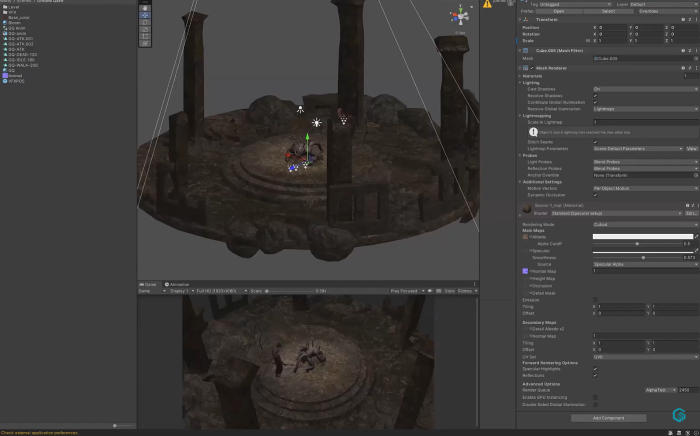
GIANTY brings more than 20 years of game development expertise with a focus on:
Unity game development
Unreal Engine production
Art, animation, and VFX
Cross-platform builds for mobile, PC, and console
Multiplayer and backend systems
Prototyping, vertical slices, and full-cycle development
LiveOps, updates, and long-term support
With teams across Japan and Vietnam, GIANTY helps studios accelerate development, reduce cost, and maintain Japan-quality engineering across every stage of production. If you need experienced Unity or Unreal teams, or a partner to help scale your game from concept to launch, GIANTY is here to support your vision. Reach out to us today!
FAQs
1.What is the easiest game engine for beginners?
Unity and Godot are considered the easiest for new developers due to their simple interfaces and strong community support.
2.Which game engine is best for mobile games?
Unity leads mobile development thanks to its performance, plugins, and cross-platform publishing tools.
3.What engine is used for AAA games?
Unreal Engine 5 is the preferred choice for AAA studios developing high-fidelity 3D games.
4.Is there a completely free game engine?
Yes. Godot is fully free and open-source.
5.Which game engine has the best graphics?
Unreal Engine currently delivers the highest-quality real-time rendering and lighting.
6.Can beginners make a game without coding?
Yes, both Unity and Unreal offer visual scripting tools that allow creators to build gameplay without writing code.